Manus 2.0 brings editable video, automations and personal agents
Manus 2.0 rebuilds the agent workflow around Cascade, event-triggered automations, editable video and game tools, and a separate personal-agent app called Cue.
In this article
An AI agent’s job may continue after it produces an answer. A person may need to edit the video it made, host a game on a server that stays online, or restart a workflow when something changes in a connected service. Manus 2.0, announced on September 28, is aimed at these next steps. It combines a new Cascade agent harness, an expanded Manus Studio, event-triggered Automations, and a separate personal-agent app called Cue.
This is not the announcement of a single new foundation model. Manus describes a new architecture for how its agents carry out work and a set of products built on it. The capabilities below are the company’s claims; we did not independently test the products for this article.
| Component | Announced change | What to keep in mind |
|---|---|---|
| Cascade | An agent harness that loads specialist capabilities when needed | Speed and cost figures come from one tested configuration |
| Automations and Cloud Computer | Event-triggered work and a purchasable persistent environment | Connected-service permissions and server costs need separate review |
| Manus Studio | Editable video and game development environments | A product demonstration is not an independent quality test |
| Cue | A separate agent app with its own communication and work tools | Invite-based early access applies |
What changes with Cascade?
Manus calls Cascade the latest version of its in-house agent harness. Its design starts a project with a lighter set of capabilities and brings in specialized ones as the work calls for them. A brief, web page, video and automation can remain connected within one project, without carrying every tool into every step.
In one tested configuration, Manus says Cascade used 23.2% fewer tokens, completed tasks in 28.2% less time, and cost 32% less to run than its previous system. The announcement does not specify the task set, sample size, quality threshold or cost calculation behind those figures. They should not be treated as expected savings for every task or account. For an agent workflow, a useful comparison includes the total cost of an acceptable result, not token count alone.
Automations move beyond the clock
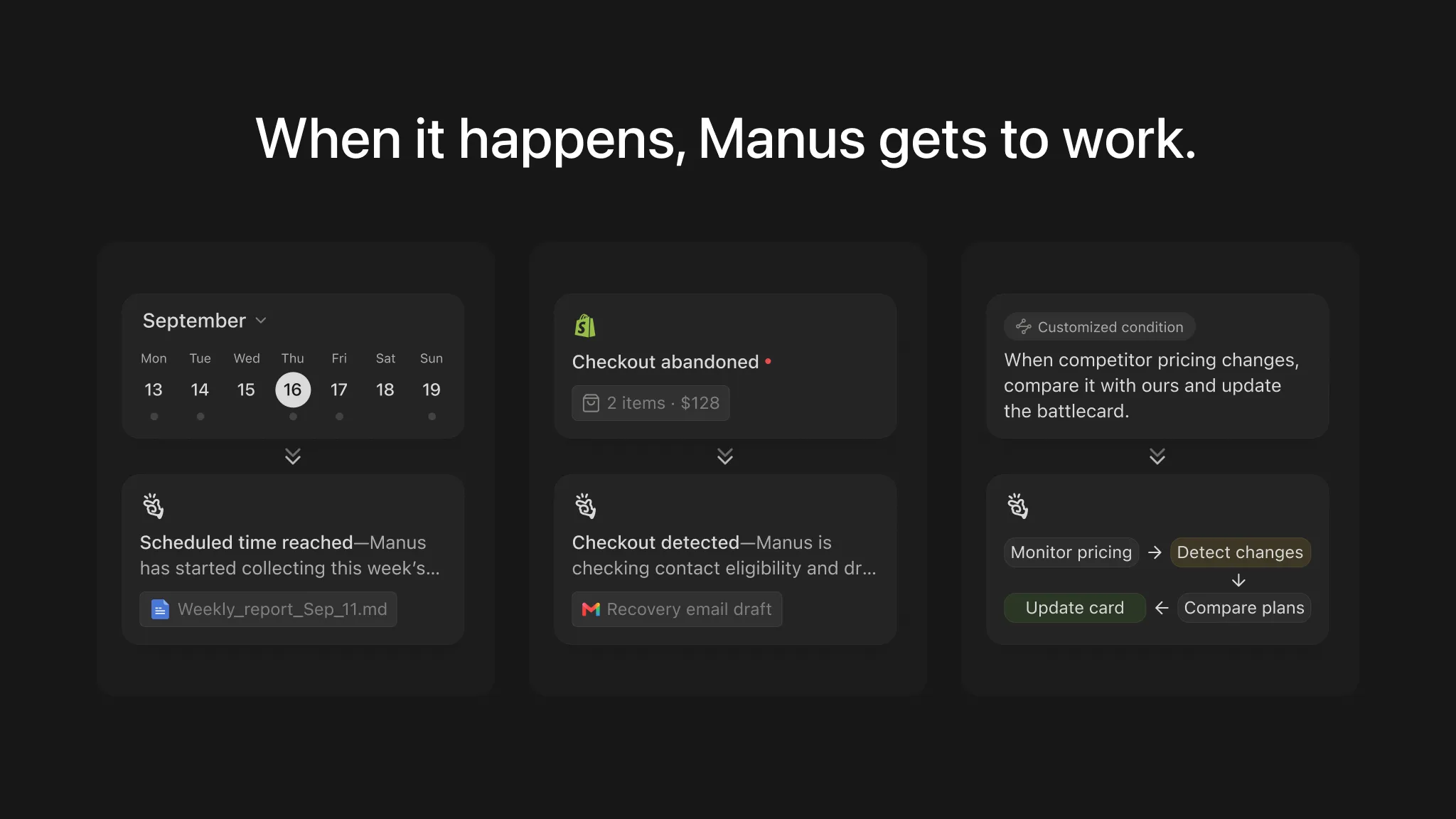
The earlier Scheduled Tasks 2.0 release let recurring work continue in the same task or project context. The new Automations broaden what can start a run. Manus lists an incoming email, an ad-performance change, a calendar event, a Slack message and a Notion update as possible triggers in connected services. A user describes what to watch and what should happen next in a prompt.
That distinction matters in practice. A daily digest fits a fixed schedule; a new customer request or a changing campaign metric is better handled when the event occurs. The tradeoff is that connected-account permissions, false triggers and actions in external services need clear boundaries. The announcement lists trigger examples, but does not provide a comparative account of permissions, latency and failure behavior across integrations.
For projects that need a persistent server, Manus also introduces a Cloud Computer. The company describes it as a dedicated environment users can purchase for a game server or an automation that must keep running. This should not be read as a free, always-on server included with every task. Its usage and cost limits warrant a separate check.
Studio keeps the work editable
The desktop app becomes Manus Studio. Alongside work on documents, spreadsheets, PDFs, slides, websites and code, Manus is adding two professional environments: Video Editor and Game Dev.
Video Editor is designed to leave an AI-made video as editable clips, images, text, motion graphics and audio on a timeline. A user can swap the music or insert their own footage, then ask the agent to work from those edits. Manus positions it for short product ads of 30–60 seconds, tutorials and other short-form pieces. Alchemy mode takes a starting idea and handles more of the creative direction through video and code generation, while still allowing timeline edits afterward.
Game Dev offers playable templates, a running-game preview, manual editing of assets and code, website publishing and multiplayer setup. The announced path to hosting a multiplayer game includes a separate Cloud Computer purchase. The editing experience and the continuing cost of an online server are therefore distinct parts of the product.
Manus also describes Remote Control and Computer Use. In a connected, authorized session, it says the agent can work in a visible workspace with approved files, browsers and apps on a user’s computer. The intended shift is from tapping through a remote desktop on a phone to asking, for example, for the latest presentation on a home computer to be found and sent. The scope of approved access is central to evaluating that feature.
Cue is a separate app
Cue is a standalone personal-agent app for phone and desktop, built on Manus infrastructure. Manus says each agent can have its own email address, phone number, wallet and computer. Its examples include sending messages, paying within a user-set budget and dividing work among agents in a group chat. These are announced capabilities; practical security boundaries, regional availability and transaction limits need direct testing.
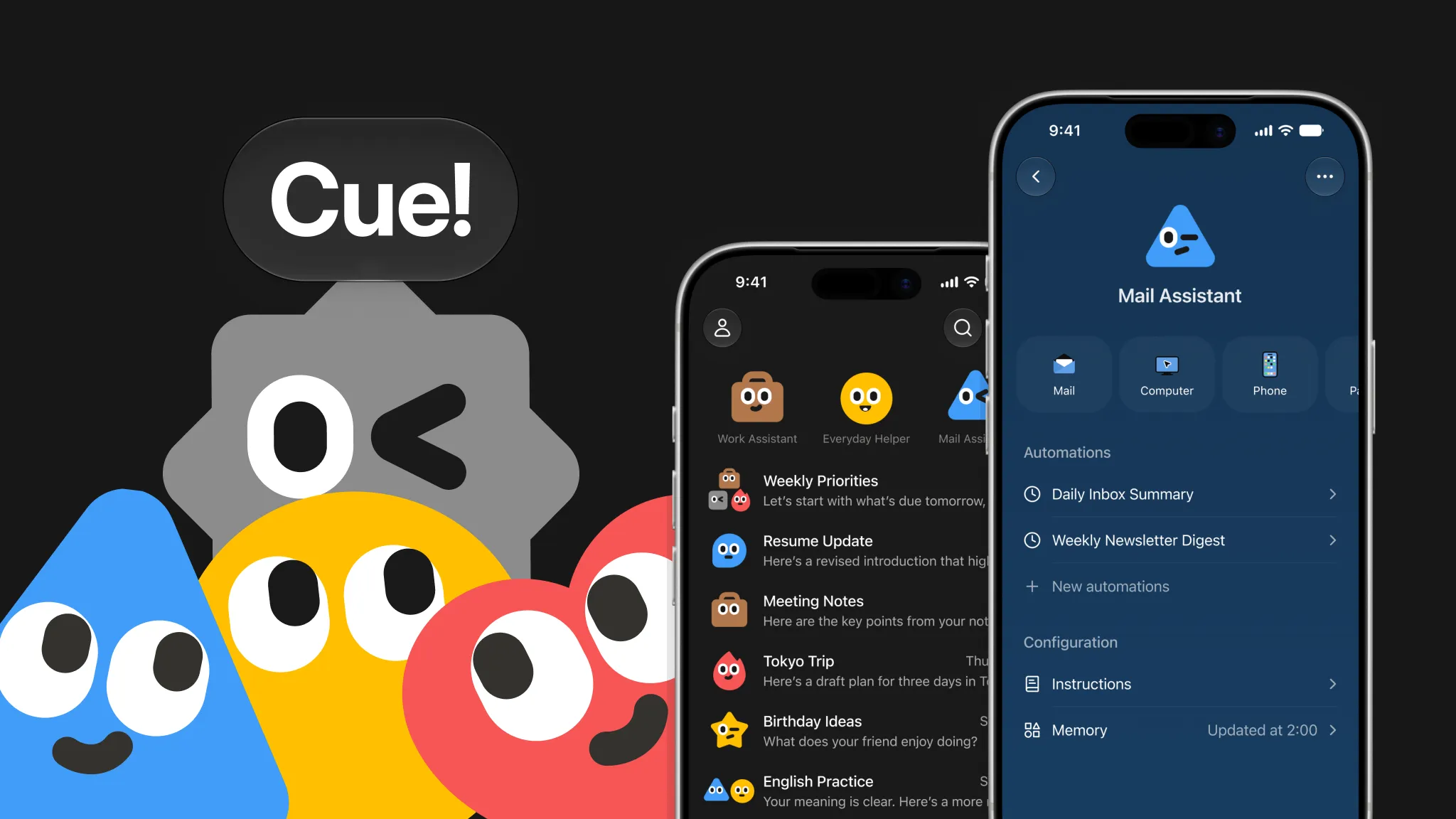
According to the launch post, Manus 2.0 is available on the web, desktop and mobile. Cue is free to use in invite-based early access, and its iOS app was still awaiting App Store review at announcement time. The two products therefore do not have the same access conditions.
The practical question behind Manus 2.0 is whether an agent’s work stays editable, can continue with the right context when an event occurs, and can run on persistent infrastructure when the project requires it. The launch presents product answers to all three. Independent tasks will be needed to judge Cascade’s cost and speed claims and the quality of the new tools beyond the company’s demonstrations.
Sources
Created with AI assistance.
Suggest a correction
Found an error or a missing source? Send a private suggestion to the editor. It will be reviewed and will not appear as a public comment. No name, email or account is needed.


Send us a message